India-Based Data Entry Outsourcing Support Serving USA, Canada, UK, Australia, Europe, New Zealand, Singapore, UAE
Card Data Entry

Card Data Entry Services That Preserve the Connection Between the Physical Card and the Digital Contact

One small card can contain a person, organisation, role, location and several contact routes arranged with no consistent reading order. Our professional card data entry service converts that visual layout into the fields required by the client’s CRM or register.

The offshore workflow preserves country codes, separates titles from company names and keeps the source image available where later checking matters. Possible matches are held before a second contact fragments the existing history.

Businesses outsource card digitisation under a written capture and consent boundary. The expert solution states what may be standardised and which unclear name, identifier or relationship must return to the record owner.

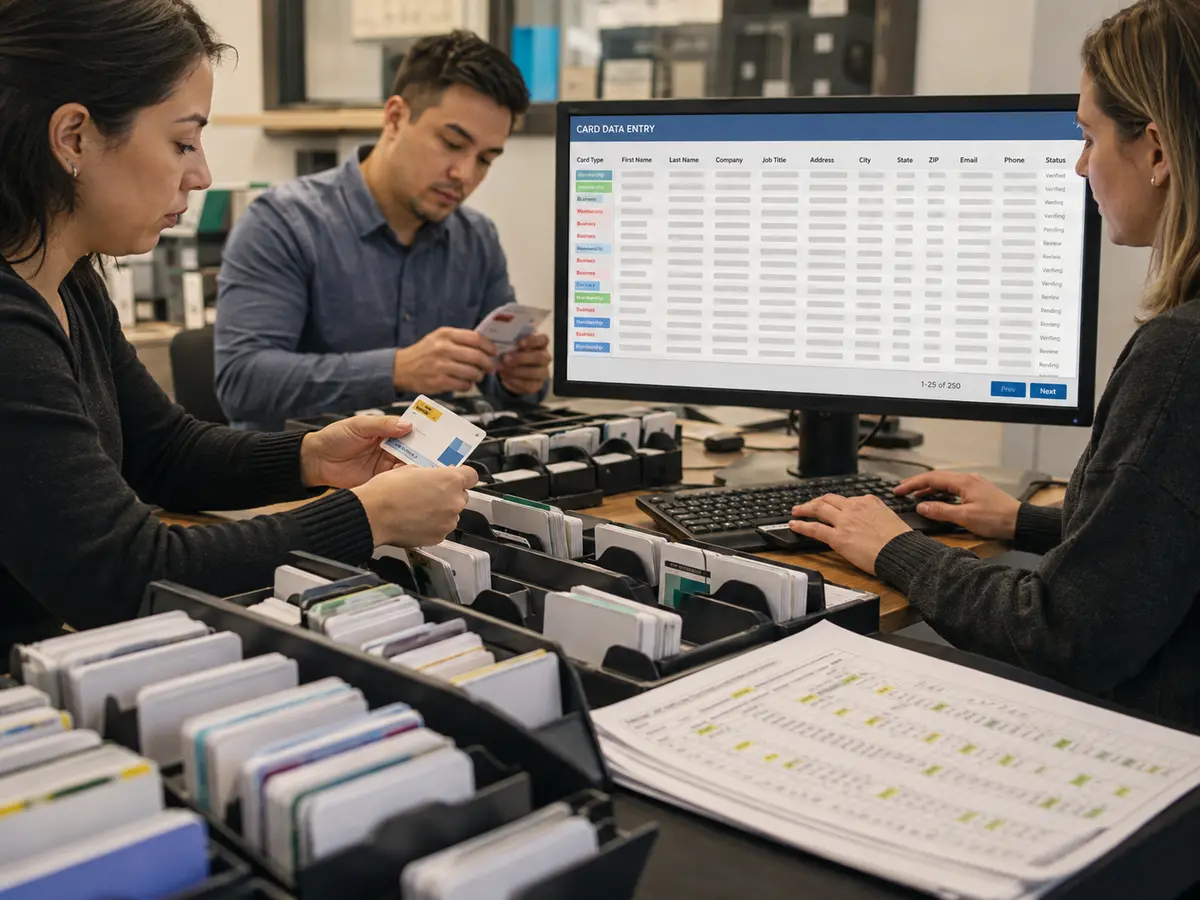
Shri Data Entry Services team working on Card Data Entry Services projects
5000+ Completed Projects
90% Returning Clients
16+ Years Experience
45+ Countries Served
50+ Professionals Team
Services We Offer

The value of card digitisation lies in field accuracy, provenance and responsible matching

  • Card type and intended use confirmed
  • Name components entered consistently
  • Phone and address structure preserved
  • Source image reference retained if required
  • Possible duplicates separated
  • Unsupported consent or status not inferred

Business cards often mix personal names, credentials, department names, company divisions, direct numbers, switchboard numbers, email addresses and social profile references in different visual arrangements. A fixed left-to-right reading rule will not interpret every design correctly.

Membership and warranty cards introduce other requirements: member numbers, issue and expiry dates, product identifiers, serial numbers, dealer references or plan types. The target schema must define how these fields are represented and which missing values prevent a record from being accepted.

Card OCR can accelerate initial recognition, but stylised fonts, gloss, shadows, embossed text and photographed angles can produce incorrect characters. Our solution uses manual reading and review where the source does not support reliable automated extraction.

Different card sources require different field and privacy rules

Each workflow is designed around the card’s purpose and the authorised destination.

01

Business card digitisation

Names, titles, companies, departments, email addresses, phones, websites and locations are captured into CRM or spreadsheet fields. The original card reference can remain linked for review.

02

Event and exhibition contact cards

Collected cards are organised by event, date, campaign, owner or lead source. We do not add marketing consent or lead status unless the client supplies an authorised rule.

03

Membership card entry

Member name, ID, plan, branch, issue date and expiry information are captured according to the organisation’s member database structure.

04

Warranty and registration cards

Customer, product, model, serial, purchase and dealer information is entered from supplied cards or registration forms, with missing proof routed for review.

05

Customer and loyalty card records

Approved card identifiers and profile fields are digitised without inferring preferences, status or eligibility beyond the visible source and client rules.

06

CRM duplicate screening

Exact matches and possible matches are treated differently. Uncertain contacts remain in a review queue so an expert owner can protect activity history and account relationships.

CRM Software Compatibility

Card Data Entry Services: Direct Integration and Software Compatibility

Outputs are prepared around the field structure, controlled values and import requirements of your destination environment. Files can be delivered for review, staging or authorised import without forcing your team to rebuild the completed work.

Supported destinations

Field-mapped records for customer and sales platforms

Files are mapped to the client’s approved template, naming rules, identifiers and system structure before full production begins.

  • SalesforceObjects, owners and custom fields
  • HubSpotContacts, companies and deals
  • Zoho CRMModules and approved layouts
  • Dynamics 365Entities and relationship keys
  • PipedrivePeople, organisations and pipelines
  • Custom CRM / SQLStaging and import tables
Source continuity

References stay connected

Source IDs, filenames, record keys and approved relationships remain available for review and downstream traceability.

Import control

Fields are mapped before production

Mandatory fields, formats, controlled values, character limits and relationship keys are checked against the destination specification.

Pilot validation

Test the handoff with a representative batch

Rejected rows, unsupported values and mapping conflicts are returned with exact references so approved corrections can be incorporated before full-volume delivery.

Delivery formatsStructured for review, staging or import
  • CSV
  • XLSX
  • JSON

Column order, encoding, date rules, multi-value handling and destination-specific requirements can follow the receiving system’s approved specification.

Compatibility means SDES prepares outputs to specifications supplied or approved by the client. Product names identify commonly used destination systems and do not imply endorsement, certification or partnership.

Process, Quality and Security

How card collections become controlled contact data

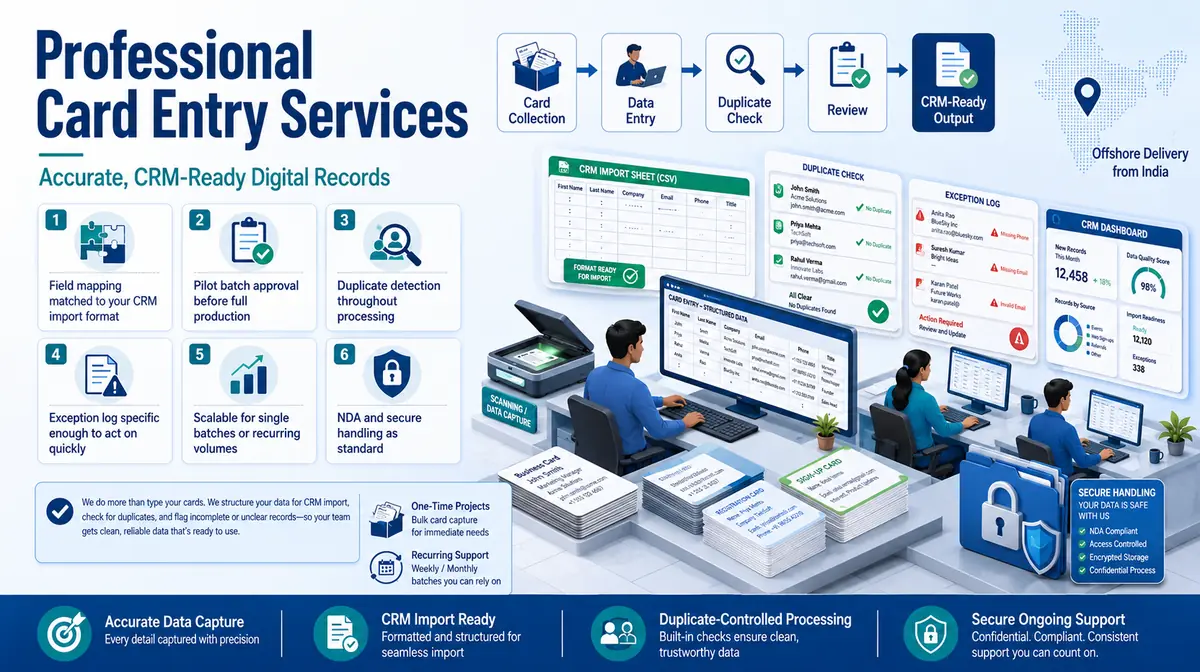
1. Define the Card Purpose

We confirm the card type, intended database use and fields authorised for capture.

2. Set the Name and Contact Rules

Name order, credentials, extensions, country codes and address conventions are documented.

3. Test Visual Variation

A sample covers clean scans, photographs, unusual layouts and difficult typography.

4. Capture With Source Reference

Operators enter supported values and retain the image or batch link where required.

5. Screen for Duplicates

Approved identifiers are compared before record creation; possible matches remain unmerged.

6. Deliver Records and Holds

Usable contacts and a reason-coded exception list are returned separately.

Every digital contact should remain explainable from its source card

📂 Source formats we accept
  • Scanned card images
  • Mobile photographs
  • PDF card sheets
  • Event batches and owner lists
  • CRM field map and match policy
📤 Delivery formats
  • CRM-ready Excel or CSV
  • Contact database records
  • Card-image reference column
  • Possible-duplicate queue
  • Unreadable-field exception report
Free accuracy test

Have cards waiting to become searchable contacts?

Share representative designs, the target CRM fields and your duplicate policy. Include difficult photographs so the sample reflects the true card collection.

✓ No credit card required✓ No contract required✓ 24–48 hour return
Request a Card Review
Source sampleyour_sample_data.csv
Received
Verified deliveryverified_output.xlsx
Reviewed
▣ Encrypted transfer◉ Quality controlled
Why Outsource to SDES?

Why card entry should be designed around CRM integrity

Card Data Entry Services workflow and quality review
  • Card-specific field interpretation
  • Manual review where OCR is weak
  • Source-image traceability
  • Duplicate prevention before creation
  • Consent and ownership left with the client
  • Offshore capacity for event backlogs

A fast import can create thousands of low-confidence contacts if names are split incorrectly or duplicates are ignored. Our professional card data entry process prioritises a clean, explainable contact record over raw throughput. Clients may outsource card transcription without outsourcing CRM governance.

An expert client owner still decides ambiguous account association, consent, lead status and merge actions. The offshore team captures and prepares the evidence needed for those decisions, allowing organisations to outsource production while retaining control.

Start Your Project →
Industries We Support

Card records used in different business environments

Sales and Events

Business cards organised by campaign, owner and approved lead-source fields.

Retail and Warranty

Customer and product registration details prepared for service records.

Healthcare Administration

Patient or programme cards handled under approved privacy and access rules.

Membership Organisations

Member identifiers, plans and validity dates entered without inferring eligibility.

Dealers and Distributors

Dealer, product and warranty references linked to supplied sources.

Professional Networks

Contact cards captured for approved directories and relationship systems.

Case Studies

Relevant Project Experience

Trade Exhibition Contact Capture

Project Name
Trade Exhibition Contact Capture
Volume
78,483 records — completed in 4 weeks
Problem
Cards varied in layout and several contacts appeared to belong to existing CRM accounts.
Solution
Contact fields were captured with event and owner references; possible duplicates and uncertain account matches were separated.
Outcome
The model output supported CRM review without creating unsupported consent or duplicate records.
Title
Campaign Operations Manager
Industry
Industrial Technology
Country
Germany

Product Warranty Card Register

Project Name
Product Warranty Card Register
Volume
43,722 records per month
Problem
Handwritten serial numbers and dealer references were mixed with printed customer fields.
Solution
Printed and handwritten fields followed different review rules, with unreadable identifiers held against the card image.
Outcome
The proposed register kept usable warranty data separate from cases requiring dealer clarification.
Title
After-Sales Data Lead
Industry
Consumer Electronics
Country
Australia

Association Membership Migration

Project Name
Association Membership Migration
Volume
6,988 records — completed in 10 weeks
Problem
Legacy card formats used different member-number and expiry conventions.
Solution
Format-specific mappings were applied and unsupported status decisions stayed with the membership team.
Outcome
The solution produced a migration table plus a status-review queue.
Title
Membership Systems Manager
Industry
Professional Association
Country
United Kingdom
FAQs

Questions about card data entry

Can you process photographed cards rather than scans?

Yes, subject to image clarity. Angled, shadowed or reflective cards may need manual review and can produce more exceptions.

Will you merge duplicate CRM contacts?

Only under explicit, approved match rules. Possible matches should remain with the authorised CRM owner.

Can you infer marketing consent from an exchanged business card?

No. Consent and lawful-use decisions belong to the client and should not be inferred by the entry team.

What should a Card Data Entry Services pilot contain?

Provide Scanned card images, Mobile photographs, PDF card sheets. The pilot should include ordinary records and known exceptions so field interpretation, review rules and delivery structure can be confirmed before production.

📩 Review a Card Sample
💬